Upgrading a Kubernetes control plane has long been a one-way door. Open source Kubernetes doesn’t support control plane rollback, so once you upgrade, there’s no going back. The community is making progress here — KEP-4330 introduces emulated versions to ease rollback — but in practice this constraint has pushed organizations to build elaborate compensating mechanisms like bake periods, stagger groups, automated sign-offs, and months-long upgrade cycles. With Kubernetes releasing three minor versions per year, teams managing hundreds of clusters, especially in regulated environments, often delay upgrades entirely because they aren’t confident they can recover if something goes wrong. The result is clusters stuck on older versions, missing security patches, and eventually running up against extended support timelines.
Amazon EKS now offers Kubernetes version rollbacks, a new feature that gives cluster administrators a safety net when performing cluster upgrades. With version rollbacks, you can reverse a Kubernetes version upgrade within seven days if you encounter issues after upgrading, returning your cluster to its previous working state.
Where approaches like emulated versions keep a cluster in a transitional holding state, EKS version rollback returns your cluster to a fully validated previous version that ran in production — not an emulation of it. If you upgrade a cluster from Kubernetes 1.34 to 1.35 and discover a compatibility issue, you can roll back to 1.34 within seven days. There’s no need to rebuild your cluster or scramble to troubleshoot under pressure.
The feature supports rolling back one minor version at a time, matching the same incremental approach EKS uses for upgrades. To help you roll back safely, EKS automatically evaluates your cluster’s rollback readiness through cluster insights, flagging items like node version compatibility or add-on dependencies before you proceed. If you’ve already assessed the situation and want to move quickly, you can use the --force flag to bypass those checks.
Rollback for EKS Auto Mode
EKS Auto Mode gives you one-click deployment of production-ready Kubernetes clusters, automating compute, networking, and storage management so you can focus on your applications rather than infrastructure. EKS Auto Mode introduces additional considerations for version rollbacks because both the control plane and managed nodes need to be rolled back together. Since node rollbacks respect your pod disruption budgets, the process can take time depending on your configuration.
To give you control over this process, EKS introduces a cancel API that lets you stop a node rollback at any point. If you decide the rollback is taking too long or you want to change your approach, you can cancel and adjust your disruption budgets to accelerate things, or choose a different path forward.
By default, EKS never bypasses your disruption budgets during a rollback because workload stability is prioritized. You can always choose to modify or remove disruption budgets yourself to speed up the process if needed.
Walkthrough
To try version rollbacks, navigate to the Amazon EKS console and select a cluster that has been recently upgraded.
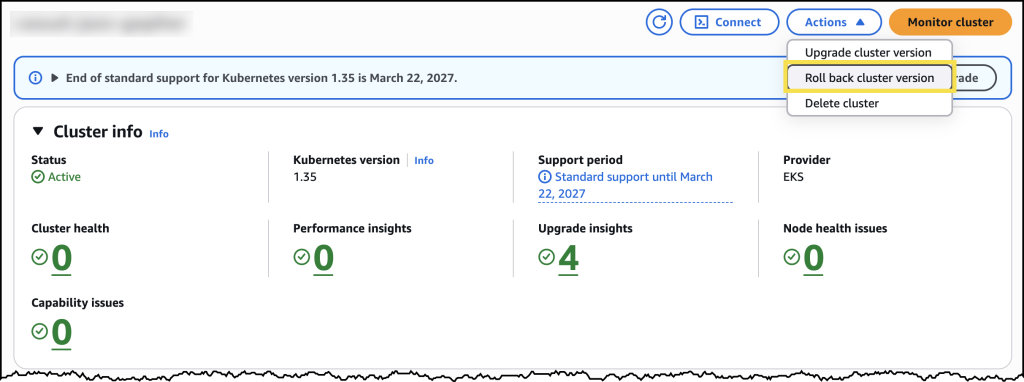
From the cluster’s configuration page, you can see the option to initiate a version rollback, along with information about your current rollback window.
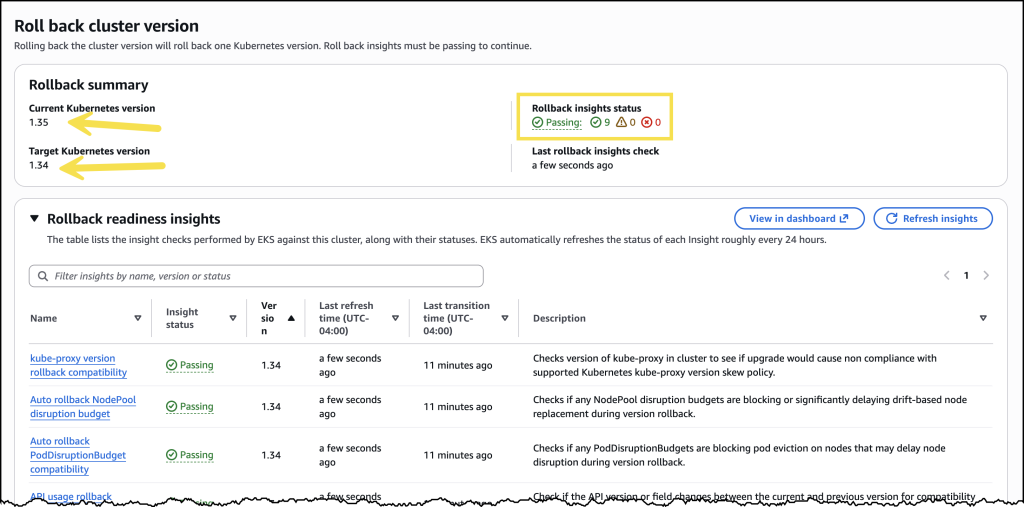
Before initiating the rollback, review the rollback insights to check for any potential issues. The insights display the status of your nodes and flag anything that should be addressed before proceeding.
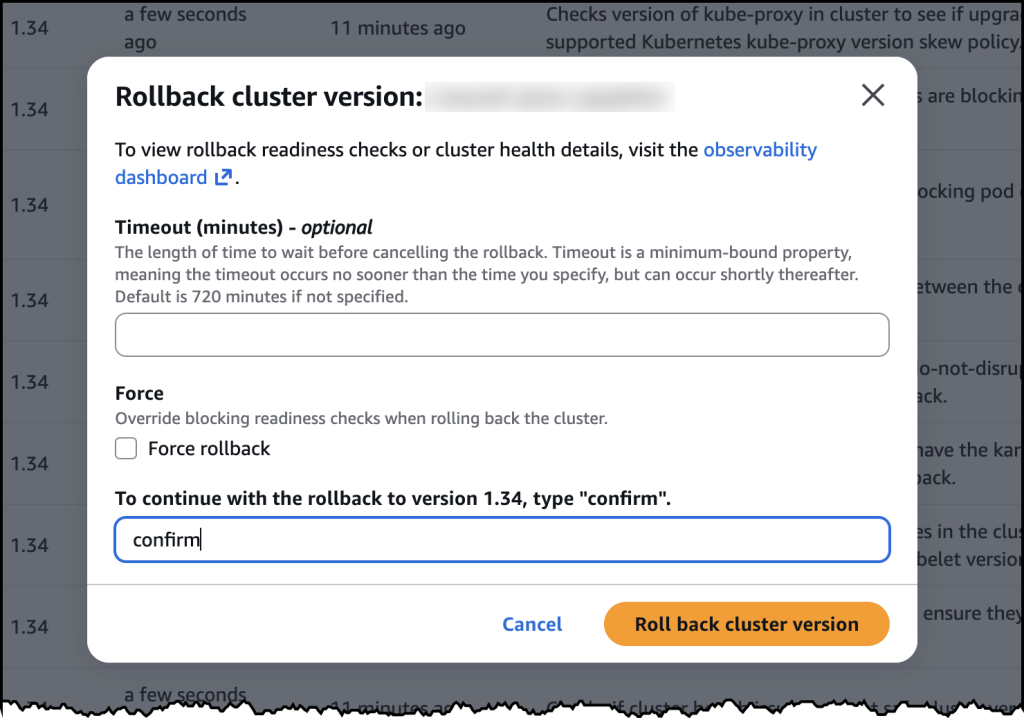
After confirming, the rollback begins. The cluster remains functional throughout the process. The control plane rollback takes approximately 20 minutes, similar to a standard upgrade. For EKS Auto Mode clusters, nodes roll back gracefully according to your disruption budget settings.
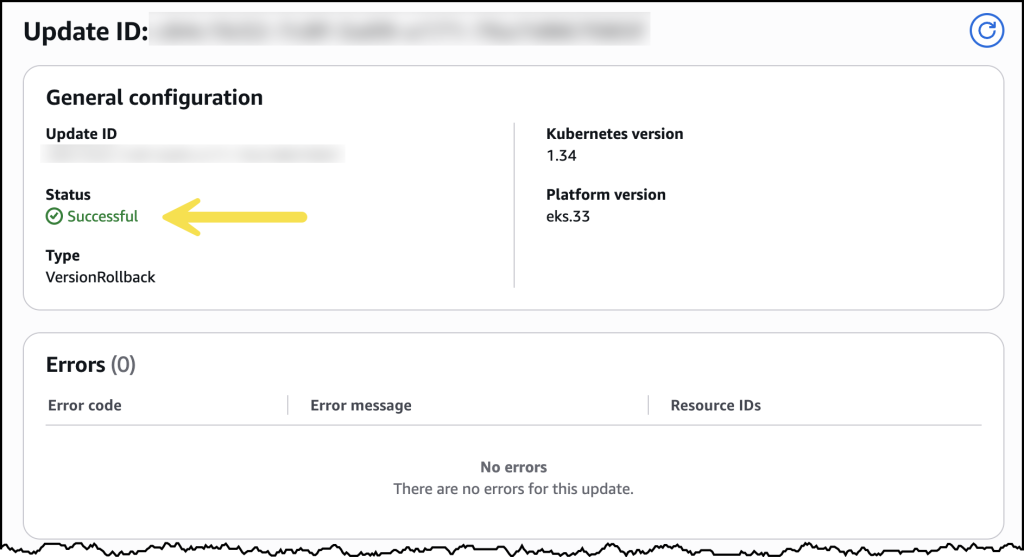
Once complete, your cluster is back on the previous Kubernetes version and running as expected.
Availability and Pricing
Kubernetes version rollbacks for Amazon EKS are available now at no additional cost in all commercial AWS Regions where Amazon EKS is available. You pay only for the standard EKS and compute costs you would normally incur — there are no extra charges for using the rollback capability.
Control plane rollbacks are available for all EKS clusters, and node rollbacks are available for clusters running EKS Auto Mode. The feature supports clusters running Kubernetes versions available in both EKS standard support and extended support. To get started, visit the Amazon EKS documentation or try it directly in the Amazon EKS console.